 Baby Suite
Journeys detects your exact phase, from early pregnancy to age five, and turns it into a short tickable list, honest milestone context and timely warnings for the long-lead stuff. No ads, ever.
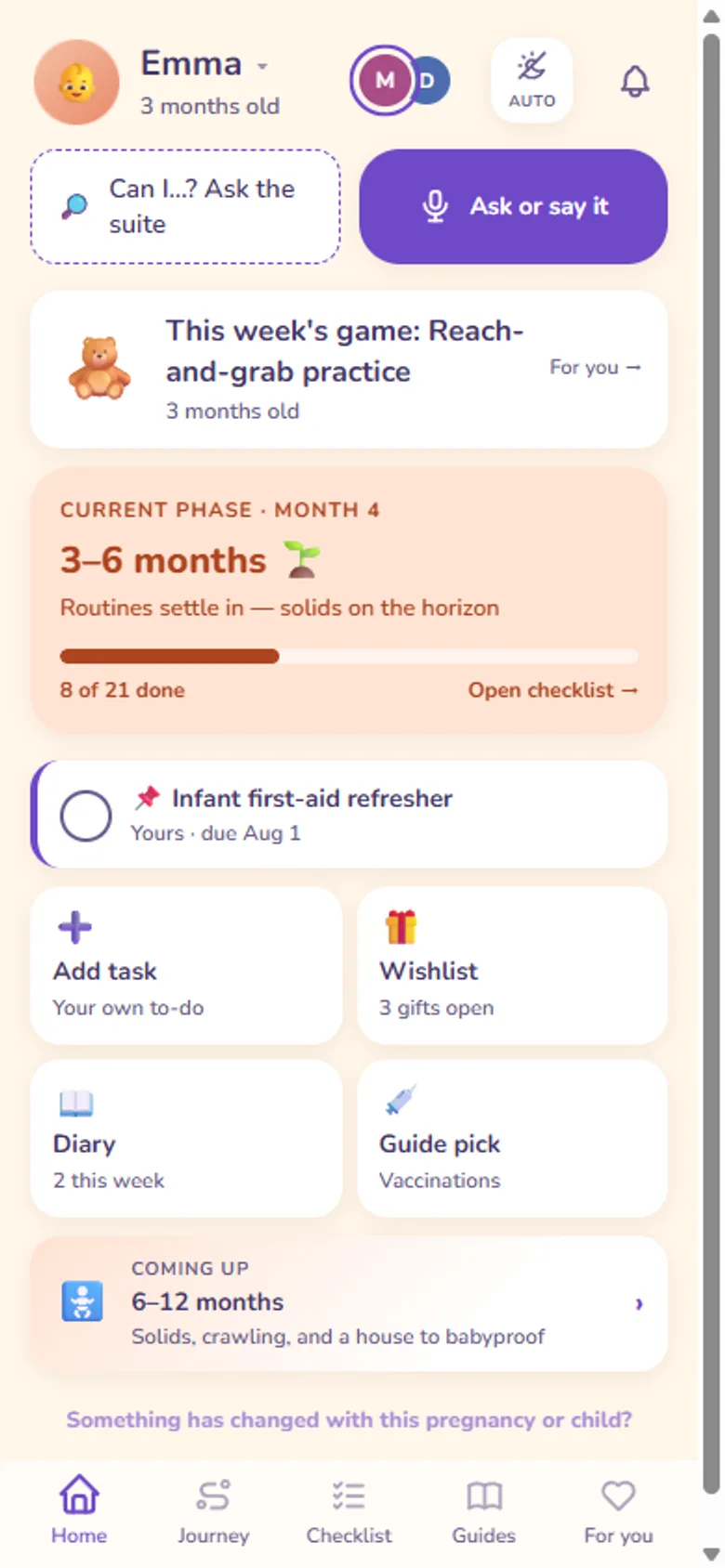
Three to five tickable things for your exact phase - book this, buy that, watch for this - instead of an ocean of articles. Your partner sees the same list; tick something and it's ticked for both of you.
Daycare waitlists can run a year. Benefit applications have deadlines. Journeys flags the long-lead items early - while acting on them is still easy - and keeps quiet about everything that can wait.
What's developmentally typical in your phase, told reassuringly, with the honest range of "normal" - instead of the midnight forum spiral. Weekly pregnancy facts keep the bump weeks interesting too.
Checkups, vaccination moments and food guidance follow where you actually live, with an international fallback if your country isn't covered yet. In your language too: English, Dutch, French, Italian or Spanish.
A private family diary with letters your child opens years from now. Premium turns the whole journey into a keepsake book you can print.
Premium includes Bee, the AI assistant, in your language, typed or out loud. Ask what matters at this age and Bee answers from Baby Suite's guides and your family's own logs. Say "add to the diary: she laughed for the first time", "put the daycare tour on the checklist" or "gift idea: a stacking toy", and Bee gets it ready as a card; nothing is saved until you confirm. Everything AI-generated is labelled, Bee is still in beta, and one family-wide switch turns AI off.
The current phase - checklist, milestones, guidance - is free. Baby Suite Premium unlocks the full library and extras across all three apps for everyone in the family, with one subscription. See what's free and what Premium costs →
It knows your due date or your child's birthday, works out the phase you're in, and shows what matters right now: a short checklist, what's developmentally typical, what's coming next, and the long-lead things to start early. It runs from early pregnancy to age five.
Your current phase is free in full: checklist, milestones and guidance. Premium adds the complete phase library, the keepsake book, country packs and the rest of the suite's extras. Details on the pricing page.
Every new family gets all of Premium free for 30 days, and we don't ask for a card. When the month is up you drop back to the Free plan and keep your current phase, your ticks and your diary. Nothing is charged and nothing is deleted.
Not in the App Store yet. Journeys runs in any phone browser, iPhone included, and Safari's Share → Add to Home Screen gives you an icon that opens full-screen like an app. Android has an app on Google Play. An iOS app is planned, and your account and history carry straight over when it lands.
Yes. Nothing requires you to have started in pregnancy: choose "already born", give the birth date, and Journeys opens at the phase you're actually in and carries on to age five. The earlier phases stay readable if you want them, as reference rather than as something you missed.
No. Journeys offers practical parent guidance and describes what's typical; it never diagnoses, and it's not a substitute for your midwife, consultatiebureau or doctor. For anything health-related, they come first.
We write it, and we're parents rather than clinicians - which is exactly why the medical spine comes from published national sources instead of from us. Vaccination schedules follow each country's own authority (RIVM in the Netherlands, Kind en Gezin and ONE in Belgium, STIKO in Germany, the NHS in the UK, AEP in Spain), growth curves use the WHO references, and checkup rhythms follow the national schedule, each linked to its source in the app and dated. No individual article has been signed off by a doctor, and we don't claim it has.
We describe typical windows, never a score, and never a comparison against other families' children. Milestones are shown as ranges, with the reminder that every baby has their own tempo, and the app doesn't flag yours. If something you've been tracking runs well past its usual window you'll see one quiet line suggesting you mention it at the next check-up. That's the strongest thing we will ever say to you.
Yes. Checkup schedules, vaccination moments, food advice, emergency numbers and units all differ per country, and Journeys follows yours, with an international profile as fallback.
The Netherlands, Belgium, Germany, France, Italy, Spain, Ireland, the United Kingdom and the United States. Belgium is split between the Flemish and French-speaking schedules, because they differ. Anywhere else gets an international profile built on WHO guidance, and you can tell us which country to add next.
Yes. The guidance content is curated by us; where something is AI-generated, it says so, every time.
Bee is the AI assistant in Baby Journeys and Baby Nest. Ask it what matters at your child's age and it answers from Baby Suite's guides and your family's own logs; ask it to add something and it prepares it for you to confirm. Bee is new and in beta, so it can make mistakes, and everything it writes is labelled as AI-generated.
Yes, through Bee. Tap the mic and talk, or type: dictate a diary moment in your own words, add a checklist task or a gift idea, or ask a question about this age. When you speak, Bee can answer out loud too, and a mute button keeps it quiet. A soft sound tells you Bee heard you, and whatever it says is on screen too. Your voice is turned into text so Bee can answer; the audio isn't kept.
No. Bee is an AI assistant, not a medical device: it doesn't diagnose, judge symptoms or suggest doses. For health questions it shares Baby Suite's own guides and points you to your doctor or midwife, and if something sounds urgent it tells you to call them, or your emergency number, straight away.
No. A diary moment, a checklist task or a gift idea first appears as a card: Confirm saves it, Change lets you adjust it, Cancel drops it, and a card you leave alone expires after 10 minutes. Anything Bee adds can be edited or deleted afterwards like anything you added yourself.
On your phone. Reopen Bee within an hour and you pick up where you left off; earlier conversations stay readable for 7 days (up to 30 of them), and you can delete one or all of them in the chat. They are not stored on our servers. We do keep usage records for 90 days, such as when Bee was asked and how it handled the question, but never the text of your questions or of Bee's answers.
The same five as the apps: English, Dutch, French, Italian and Spanish. Bee replies in your app's language, out loud too when you speak to it.
Nothing to migrate and nothing to re-buy: the same app rolls from bump weeks into newborn phases automatically, and your history comes along. Baby Nest picks up the day-to-day tracking whenever you want it - and during the bump, its Mama Mode keeps mum's own symptom diary.
Yes, yourself, in the children menu: change the due date and everything recalculates from it - your phase, the week count, what's coming next. Nothing you've ticked off or written is lost. Once your baby is born, the birth date is editable in the same place.
They can be, and we ask you once rather than deciding for you. Tell us the due date and, for a baby who arrived three or more weeks early, we'll ask whether to time guidance to their corrected age or to their birth date - and you can change your mind whenever, in the children menu. Corrected age moves the phase you're in and the typical windows for milestones, so nothing reads as late when it isn't. It never touches how old your baby is or when their birthday falls: those stay real. We follow the usual practice of correcting until age two.
Premium follows every child on their own journey, and you switch between them in a tap. The Free plan covers one. Twins share a birth date but keep separate checklists, milestones and diaries, because they don't do everything on the same day. A new child always starts with a fresh checklist rather than inheriting an older sibling's, and the choice of child is remembered per person - so you and your partner can be looking at different children at once.
You tell the app once, in the children menu under "record a loss", and it goes quiet: no reminders, no weekly summaries, no tips, no milestone content, on your phone and on your family's other devices at the same time. Other caregivers, grandparents included, simply stop seeing that child rather than receiving an announcement. Nothing is deleted unless you ask for it. Whenever you're ready, and there's no rush, you can export everything as a file to keep or delete it permanently, and either way there's a link to bereavement support in your country. If you recorded it by mistake, you can undo it.
Yes. One family account, shared progress: ticks, milestones and diary entries sync between you, live.
No and no. No ads inside the apps, ever, and it's in our Terms rather than only on a homepage. We don't sell data, no ad tracker ever runs inside the apps, and your family's data is hosted in the EU. This marketing website is the one exception, and only if you allow it: accepting the cookie banner turns on Google Analytics and lets us measure which of our own ads brought you here. Decline and neither is switched on. Either way, what you log about your child stays out of it entirely.
No. The optional AI features, Bee included, run on Google Cloud under terms that forbid using the data to train Google's models, and only the inputs a feature needs are sent, at the moment you use it. We don't train anything of our own on your family either, and you can switch AI off for the whole family in settings.
Nothing is deleted. Your current phase stays free and complete, and the rest of the library goes back behind the lock. Your ticks and your diary entries stay exactly as they were and reappear the moment you subscribe again.
Free on every plan, deliberately. The export hands you one file with your family, your progress, your diary and everything logged. Deleting your account erases the family's data if you're the only parent; if there's a second parent, you're removed and their copy stays.
Not today, and that's a decision rather than a gap. Baby Suite stores no images at all - there's no photo storage wired into any of the apps, which means there is no bucket of your baby's pictures to misconfigure, leak or hand over. Photos are also the one kind of baby data that never gets less sensitive with age. Your phone's gallery already backs them up, shares them and searches them better than we would, so rebuilding that here would add real risk without adding much you don't already have. Diary entries and milestones are text instead, so they come out in your export and disappear completely when you delete. If photos ever do arrive they'll be a project of their own, and we will inform all Baby Suite families about that.
Yes. Once Journeys has loaded on your phone it keeps working offline: read your phase, tick things off, write in the diary. An "offline" marker appears and everything syncs when the signal returns. Only the AI features need a connection.
Nothing matched that. Email us and a real person answers.
Baby Journeys is one of three apps on one family account:
Psst, I'm Bee, the Baby Suite AI assistant. Want me to keep you company while you look around?